You’ve Been Living in the Lobby of a Very Big Building
I’ll be honest, all this AI stuff can be confusing and overwhelming. Not just for you, for me too, and I’m in it every single day, building with it, talking about it, pushing on what it can do. The tools rename themselves on a Tuesday and ship a whole new menu by Friday, and keeping it all straight in your head is a real job. So, I wanted to share a friendlier way to understand all the pieces and parts. This is something a non-nerd (or, let’s be honest, a busy nerd) can actually wrap their head around.
So let me introduce you to my office analogy for AI. You’re gonna love it, I promise!
I suspect that you were handed Claude, Copilot, ChatGPT or maybe even Gemini (the point holds regardless), and told it would change how you work. So you opened it, typed a question, read the answer, and closed the tab. Completely reasonable! After all, that’s what the box looked like it was for.
But, and here’s where the analogy starts, that chat box is really just the front desk of an office building. A big one, with floors most people never visit. Many have spent the better part of a year standing in the lobby, asking the receptionist to do everything, and never even noticed the elevators behind her.
So, I’m going to walk you through that building (Claude), floor by floor, in plain English. Fair warning, I am about to ride this office analogy well past the point a sensible person would stop. I know. I knew it the moment I started, and once I was in, I was IN. Stay with me, because I think it actually holds up.
(One note before the tour. I’ll use Claude’s names for things, because Claude is where I spend most of my time every day. If you live in ChatGPT or another platform, almost all of it exists there too under slightly different door signs, and I’ll map those at the end. The key here is to learn the building (capabilities), not the labels.)
(A second note. After writing this, I realized that some, maybe even many, of you reading this might not know what it’s like to work in an actual office full of cubicles and breakrooms. Just do your best, or watch the movie Office Space for a history lesson.)
The Harness (the building itself)
The building is the part most people skip straight past. Underneath every chat is the model, the actual intelligence, but the building is much more than the model. It’s the whole app you use to reach it, the front desk, the security, the rules, the rooms, all of it. The technical name for that wrapper is the harness. You’ll almost never need the word, but it solves a small mystery.
The exact same model can feel like a completely different product depending on which building you walk into. Open CLaude’s flagship model and you get one experience. Reach that same model through another tool, say something like Microsoft Copilot, and you get another one entirely. Same brain, different building, different everything around it. (This is potentially why your colleague swears by a tool you found useless. You may not have been standing in the same building.)
Key takeaway: How you access the model is just as important as the model itself. You’ll get different results depending on which office building you walk into.
Instructions (your ID badge)
The first thing worth checking out and setting up is your ID badge, that thing you carry with you all the time. It gets you in the door, you use it for the copier, heck, you can even use it to buy a coffee in the coffee shop (ok … that last one was too far on the analogy, I get it).
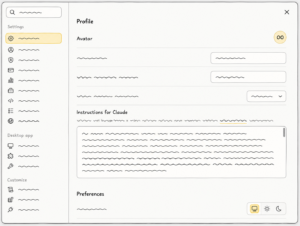
In Claude, these are your instructions, the standing rules that apply everywhere you go in the building. Tell it once that you write in US English, you can’t stand jargon, and you like the bottom line first with the detail after, and it carries that into every chat and every room without being reminded. Instructions are about how you want the AI to behave. Set this up once, and you stop repeating yourself like a broken intercom.
Chats and Memory (meetings and the whiteboard)
Think about a chat like a random single conversation in a hallway. You catch someone on your way to get a coffee who just knows loads of stuff, you talk one thing through with them, and carry on with your day, they answer your question or help you with a perfect quip for an email. Perfect for quick questions. The only snag is that hallway meeting doesn’t really stick, and tomorrow you’re talking to someone else who’s never met you and has no idea what you do.
Now, to be fair, these days it sort of remembers you. That’s memory. Most of us have it switched on now and it feels kind of magical. I like to think of this system-level memory as a whiteboard on wheels that follows you around the office. The AI itself decides what to scribble, a few notes from one conversation, a couple from another, and it’s all carried into the next so you don’t have to start cold.
The catch is that the AI decides what’s worth keeping, and it doesn’t always have great taste. I call it my Matt Damon problem. I made the mistake of telling my AI, once, that Matt Damon was hot. Just the once. And for a solid stretch afterward, every other draft found a way to slip in “hot like Matt Damon” … relevance entirely optional.
So, it’s a good idea to glance at what’s on the wheeled whiteboard now and then and wipe the bits that don’t earn their place.
Useful trick: Switching a chat to incognito wipes the board completely, which is what I do for anything truly random and one-off. It’s where all my husband’s trivia questions go, because I really don’t need the number of U2 hit singles turning up in my marketing copy.
Your AI has a memory now. It also has the judgment of a magpie about what’s worth keeping. Be vigilant!
Context (pages and pages of stuff)
Sure, we are paperless (mostly) these days, but there was a time when we couldn’t print enough documents! Spreadsheets too small to read, 100 page product briefs, directions on where to find more directions. We’d stuff them into binders to reference. And that concept holds true today. All those digital docs, images, examples, guides, spreadsheets and so on that are background for what you want AI to know or do are all context files (sometimes called knowledge files). You give them to AI, it reads them (all of them!) and understands you without the recap. Who you are, what your company does, your brand, last quarter’s numbers, the things a new hire would need on day one.
The handy part is that you can give that binder (context) to someone you chat with in a hallway or when you are working on something like a project. My voice guide is one of these. I wrote it once and edit it regularly. Every post or draft my AI writes reads it without me lifting a finger.
Projects (dedicated conference room)
If a chat is a hallway catch-up, a Project is the proper version, held in a dedicated conference room you set up for a specific job or task and return to again and again. Walk in, and everything for that job is already there, with nothing from any other job cluttering the table.
A Project is where you put all the good stuff in one place. The binders of context I just told you about, the rules of the meeting, the specialists you want on standby at all times, the apps and tools you need, your best examples, it even remembers your past conversations in the room. You furnish it once, and the room stays furnished and ready to walk into any time.
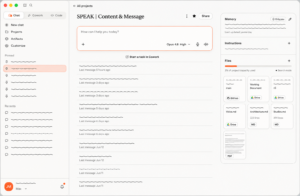
In practice: My blogs are a real example, because I have a blog Project I work in constantly (privately, I call it the Blog Room). The reason these posts sound like me and not like generic AI sludge is that I worked really hard to set up the room properly. My voice guide is on the shelf. My rules about how I write are pinned to the wall (no em dashes, ever, and yes, the AI notices when I slip). There are examples of past posts to match against as well as my philosophies and research. And the back-and-forth is baked in, because writing with me is never “generate a blog, done.” I bring the angle and the raw material, the room does a big chunk of the drafting, then I push, cut, and reshape until it’s the best version of me. You can just feel that 20-60-20, right?!
Skills (specialist colleagues)
Skills are my favorite thing to happen to AI in a long time (and I get it’s only been a few years, but I’m fickle like that). They’ve changed how I work, and honestly how I think about work itself, for me and for my team, so much that I gave them a whole post of their own. They’re addictive, and I’m not even sorry.
So, imagine a skill is a specialist worker you can call into any room or conversation. You shout, “I need a sales email writer stat!” and a little robot shows up with a briefcase full of standard operating procedures, reference sheets, and worked examples, and what it does with them is the magic.
Unlike most humans, a skill LOVES an SOP. It reads the procedure and follows it to the letter, every single time, with no drift and no creative reinterpretation on a slow Friday. Once you can write down how a job should be done, you can hand it to a skill and stop being the bottleneck, which is a genuinely different way to think about delegating across a whole team.
Skills can create things (my blog writing skill, for example, generates the HTML that gets posted on my website). They can also just be interactive, such as my board of directors (skill) that I summon on demand, and will cheerfully encourage and argue with me on business plans. Others handle less glamorous stuff, drafting my agreements, updating my CRM after a sales call, running my post-event analysis, and I will admit I still get a small thrill watching each one nail the job the exact same way every time. Handing off boring work, as it turns out, is genuinely fun.
The exciting part, for me at least, is that a skill is exactly as clever as you make it. You can throw together a dumb one in a couple of minutes, or invest properly and build a sharp one. I think of building a good skill as an 80-15-5 job. You bring about 80%, the thinking, the standards, the examples of what good looks like. The AI does the next 15%, actually building itself into a skill and testing the thing. And you take the last 5% to check the result. Do that once, and your everyday use of that skill drops to something like 10-80-10, a little setup, a lot of doing, a quick review, instead of the usual 20-60-20. The effort moves to the front, once, and then it mostly disappears.
Heads up: Full skills like Claude’s are still rolling out elsewhere, and the picture changes fast. The coding agents are ahead (OpenAI’s Codex already ships them), and ChatGPT has been bringing its own version to the chat side too. If your platform doesn’t have them yet, you can fake it today, because a skill is really just a detailed instructions file. Write the SOP yourself and hand it to your AI to work through.
A skill reads the SOP and follows it to the letter, every single time. Try getting that out of a human on a Friday afternoon.
Connectors (wifi and phone lines)
The analogy is going to get sketchy here, so just bear with me! Connectors are the building’s internet and phone lines. They wire the AI to the outside services and online apps that you use every day. Without a connector, you’d ask AI to write an email and then copy and paste it into Outlook manually. With a connector, you ask AI to write an email and it creates a draft in Outlook waiting for you.
I’ve got lots of these, too. My Blog Room has a connection straight to my WordPress website to check for recent posts and statistics on what content is being read most (turns out, you all like explainer blogs!). My sales and marketing Project (the Sales Room, obviously) connects to my CRM and my meeting recordings, so it can pull what was actually said on a call rather than what I half-remember saying.
Connectors aren’t trapped inside a single room. You can set one up to use anywhere in the building, or scope it to one room, whichever fits. For example, I can ask for an image to be generated on Higgsfield or to add a task to our project management system any time, anywhere. Either way, you stop being the courier. (And I have done enough copy-pasting between browser tabs for one lifetime, thank you.)
Plugins (departments on demand)
Plugins are what you get when somebody bundles a whole department and ships it to you in a box. Instead of adding one specialist, then wiring one connector, then writing one playbook, you drop in a complete crew, pre-staffed and pre-connected for a particular kind of work, a sales kit or a design kit or a productivity kit, all walking in together.
Honest caveat, because I’d rather be useful than impressive. I get the idea, but I haven’t found my fit for them yet. A plugin is generally a department that arrives with its own tools and its own procedures, not mine, and I’ve found I can usually build the thing I actually need faster and cleaner myself. Your mileage may vary, especially if a ready-made kit lines up with how you already work. I just haven’t met mine.
Artifacts (printouts)
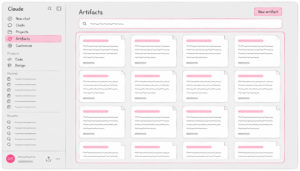
When the AI makes something real, a document, a spreadsheet, a deck, a working little app, it doesn’t get buried in the scroll of the conversation. It gets printed (metaphorically) and set on the table beside you, in its own space, where you can read it properly, mark it up, and hand it back for another pass (the polite version of “no, do it again”). That thing on the table is an artifact. The conversation is where you think. The artifact is what you carry out the door.
Offsite Venues (tools)
These are harder to shoehorn into my analogy, but I’m gonna give it a try anyway!
Sometimes you need an offsite. You want someplace special with fancy facilities and their own staff. Imagine you wanted to host a great all-team event, so you book a conference (with an incredible AI speaker, of course! 🙋). That’s kind of what specialty interfaces, apps and tools are, like Claude Design for visual work, or Claude Cowork and Claude Code for hands-on help (more on those two in a second).
The AI can sit at a design canvas and lay things out, work directly inside a spreadsheet, build slides in a real deck, or drive a web browser to get something done. Claude Design is the art studio for visual and layout work specifically. These are newer and still rolling out, so you may not see all of them yet, but the direction is hard to miss. Less of “a file lands in your lap, good luck,” more of “I did it in the tool you already use.”
Hands on Help (Claude in Chrome, Cowork and Claude Code)
Cowork is the assistant who doesn’t just talk, it can actually take over your keyboard and “get it done.” In my mind, Cowork is that IT guy that was always like, “here! just let me do it!” You can hand it something with five steps across three tools and it’ll open the spreadsheet, draft the doc, check the browser, and come back when it’s finished.
There’s a newer door on this floor too. Claude in Chrome puts that same hands-on helper inside your browser, so it works in whatever tab you already have open, clicks through the pages you would have clicked, fills out forms, executes tasks, and can even pull what it finds into a Google doc or a spreadsheet. It earns its keep on the jobs that live behind a login, where there’s no tidy connector to plug in. My rule of thumb: if you can do it manually in a browser, it can probably do it for you.
Claude Code is that same go-and-do-it worker, trained for the engineering floor.
Claude Code is that same go-and-do-it worker, trained for the engineering floor. If your tech team has sped up lately and keeps saying “Code” or “Codex,” that’s this. Most of us never need to go down there (I do spend a fair bit of time there, but I don’t live there). However, it’s worth knowing the floor exists, because it’s where a lot of the building gets built. And if the idea of AI that takes a goal and runs with it on its own is the part you want to chase, that’s the world of AI agents, which I’ve dug into separately.
So What About ChatGPT?
If you live in ChatGPT rather than Claude (or Copilot or Gemini or [insert other platform name here]), almost all of this exists there too, increasingly under the same names. ChatGPT has Projects and Memory (same words, same idea). Its connectors plug into your Google and Microsoft world. Its version of artifacts is called Canvas. Its go-and-do-it worker is Agent mode, and its engineering-floor worker is Codex. And as of July it has skills too, in beta, the same word for the same idea, which tells you how fast the signage is converging.
So you don’t have to get attached to the Claude labels I’ve used here. The concepts stay stable even while the signage keeps changing, and the major tools are busy copying each other’s best rooms anyway. Whichever front door you walked through, the move is the same.
• • •
The Quick Map (if you remember nothing else)
- The harness (the building) is the app you reach the model through, which is why the same model can feel completely different in different tools.
- Instructions (your ID badge) are the standing rules that travel everywhere you go.
- Chats are quick hallway conversations, perfect for one-offs.
- Memory is the whiteboard on wheels, useful and a little opinionated.
- Context files are the binders of background, portable into any chat or room.
- Projects are the furnished conference rooms you set up for one ongoing job.
- Skills are the specialist colleagues who live for an SOP and never wing it.
- Connectors are the building’s wifi and phone lines, wired to where your work actually lives.
- Plugins are a whole department shipped in a box.
- Artifacts are the finished things printed and set on the table beside you.
- Offsite venues are the specialty tools like Claude Design, where the AI works inside the real thing.
- Cowork and Claude Code are the hands-on helpers that take the keyboard and run a whole multi-step job.
- Claude in Chrome is that helper inside your browser, for the work that lives behind a login.
The Whole Building Is Being Remodeled
Step back from the floor plan for a second. This building, and the way work gets done inside it, is in the middle of a serious remodel. Remodels are disruptive and a little stressful, even when the finished result is better.
Be honest with yourself about one thing, though. Most of us didn’t love the old way of working because it was genuinely great. We loved it because it was familiar, because it was the way it had always been done. Work already looks different than it did a few years ago, and we adapted just fine. (Anyone reading this from a home office that would have sounded absurd six or seven years ago? Exactly.) We’ve come through bigger changes than this one, and a fair few of us are going to do considerably better than just come through it.
You’ve come through bigger changes than this one. This time, you get to help design what comes next.
Where to Start
You already know you need a handle on this. Everyone has the same tools now, bought the same week for the same price, so the tools themselves were never going to be the advantage. You’re the part that has to be different, which is oddly freeing, because it’s the one part nobody can buy off the shelf.
So don’t try to furnish the whole building this week. Pick one thing you do with AI more than once, and build it a room. Set up a single Project, drop in the two or three documents that explain the context you keep re-typing, write down your rules and a couple of examples of what good looks like, and work there from now on. You’ll feel the difference on the very first try. That’s one furnished room. The rest of the building can wait until you want it.
Getting teams out of the lobby and into the building is my favorite kind of work, on a stage or in a room together. In fact, we can even go to one of those fancy offsite venues. If that’s worth a conversation for your people, come say hello.
Frequently Asked Questions
What’s the difference between a Claude Project and a regular chat?
A regular chat is a single conversation that starts fresh and forgets the specifics once you move on. A Claude Project is a dedicated workspace for an ongoing job, where you store context documents, instructions, skills, and connectors so Claude stays briefed on that specific work every time you return.
Think of a chat as a quick hallway conversation and a Project as a proper meeting in a room set up for one purpose. The chat is ideal for one-off questions. The Project is where real leverage builds, because you stop re-explaining your context and start working with an AI that already knows the job.
What is a Claude skill, and how is it different from a connector?
A skill is a packaged set of instructions that teaches Claude how to do a specific task the same reliable way every time. A connector is an integration that links Claude to an outside service you already use, like Gmail, Google Drive, or your CRM, so it can pull and work with real information from those tools.
The simplest way to hold the difference is that a skill is about how the work gets done, and a connector is about what the AI can reach. A blog-writing skill knows your format and tone. A WordPress connector lets it actually see and update your site. You often use both together.
What is a Claude plugin?
A plugin is a bundle that packages several skills, connectors, and other capabilities together for a specific role or workflow, so you can install one thing and get a whole kit at once. Common examples are bundles built for sales, design, or productivity work.
Instead of adding one specialist and wiring up one integration at a time, a plugin drops in a pre-assembled, pre-connected set ready for a particular job. It’s a fast way to stand up a whole function, though plenty of people find a self-built setup fits their own tools and processes more cleanly.
What’s a CLAUDE.md file?
A CLAUDE.md file is a plain-text instructions file that Claude reads automatically to learn the rules, context, and conventions of a particular workspace. It’s most common on the technical side, in tools like Claude Code and Cowork.
For most people, it’s the same idea as a context file or knowledge document, just expressed as a named file that lives with a project. If your engineering team mentions a CLAUDE.md, picture the same reference binder on the shelf, sitting on a different floor of the building.
What’s the difference between an artifact and Cowork?
An artifact is something Claude produces for you, like a document, spreadsheet, set of slides, or small app, displayed in its own space beside the conversation so you can review and refine it. Cowork is a desktop app where Claude actively does multi-step work for you across different tools, rather than just producing a single output.
An artifact is the deliverable. Cowork is the worker who goes off and completes a whole job. You might end a Cowork session with several finished artifacts, the same way a capable assistant hands you a stack of completed work at the end of the day.
Do I need to be technical to use any of this?
No. The most valuable parts of this, including instructions, context files, Projects, skills, connectors, and tools like Cowork, are built for non-technical people doing everyday business work. If you can write a document explaining your job to a new hire, you can set up a Project.
The only genuinely technical corner is Claude Code, which is built for software developers. Everything else is designed so a business leader, a salesperson, or a one-person company can use it without writing a single line of code.
How do these concepts map to ChatGPT and other platforms?
Almost all of them map directly, and increasingly under the same names. ChatGPT has Projects and Memory just like Claude does. Its version of artifacts is Canvas, its multi-step worker is Agent mode, and its developer tool is Codex. ChatGPT rolled out its own skills in July, in beta, under that exact name, and plugins are heading the same way.
The practical takeaway is to learn the concepts rather than memorize one platform’s labels. The major AI tools are converging on the same set of capabilities and borrowing each other’s best ideas, so understanding the building serves you no matter which one you use.
I’m overwhelmed. Where should I start?
Start with one Project for one task you repeat often. Add the two or three documents that explain the context you keep re-typing, write down your rules and a couple of examples of good work, and do that task there from now on.
Resist the urge to build the whole building at once. One well-set-up room beats a dozen half-built ones, and it teaches you how the rest works. Once that first Project earns its keep, you’ll know exactly which room to furnish next.