

If you’ve ever stared at a slide, a blank Canva template, or a wall of data and thought, “There has to be a faster way to make this look good,” you’re going to love Nano Banana Pro (also known as Gemini 3 Pro depending on where you see it).
This new image-generation model inside Gemini showed up with serious upgrades: sharper text, stronger layout control, better editing tools, multi-image blending and 4K output. In other words, your AI Intern just finished a crash course at design school and is now very eager to show off.
Nano Banana Pro (NB Pro) is Google’s high-resolution image-generation and editing model inside the Gemini ecosystem. It creates visuals, diagrams, infographics, mockups, and up to 4K graphics from your prompts or uploaded references, which makes it incredibly useful for business, marketing, presentations, and data storytelling.
🚨 IMPORTANT NOTE: You can access this in the free version of Gemini, but you’ll only get 1 or 2 image generations using NB Pro per day (#impatient #frustrating #wellplayedgoogle). So, I do most of my image testing and generation using Fal.ai, where you can buy credits and play with virtually any image/video model. You can also choose output resolution, dimensions, and generate multiple versions of an image at one time, which I’m happy to do at a few pennies each.
As an AI strategist and nerd who tests new models weekly, I push tools like Nano Banana Pro to see where they actually deliver value.
If you’ve used the original Nano Banana model, you’ll know how fun and versatile it can be. I wrote about that version in this earlier breakdown: Google’s Nano Banana: 15 Ways to Go Bananas with AI Image Creation & Editing.
🤓 Nano Banana Pro is the next evolution: sharper, smarter and far more useful for real business workflows.
Below are five ways you can use Nano Banana Pro right now, along with five tips for cleaner, sharper, more predictable results that make your AI Intern look like an overachiever.
“With the right brief, Nano Banana Pro can do more than make images...it can accelerate your ideas.”
1. Visualize a Slide or Keynote Moment
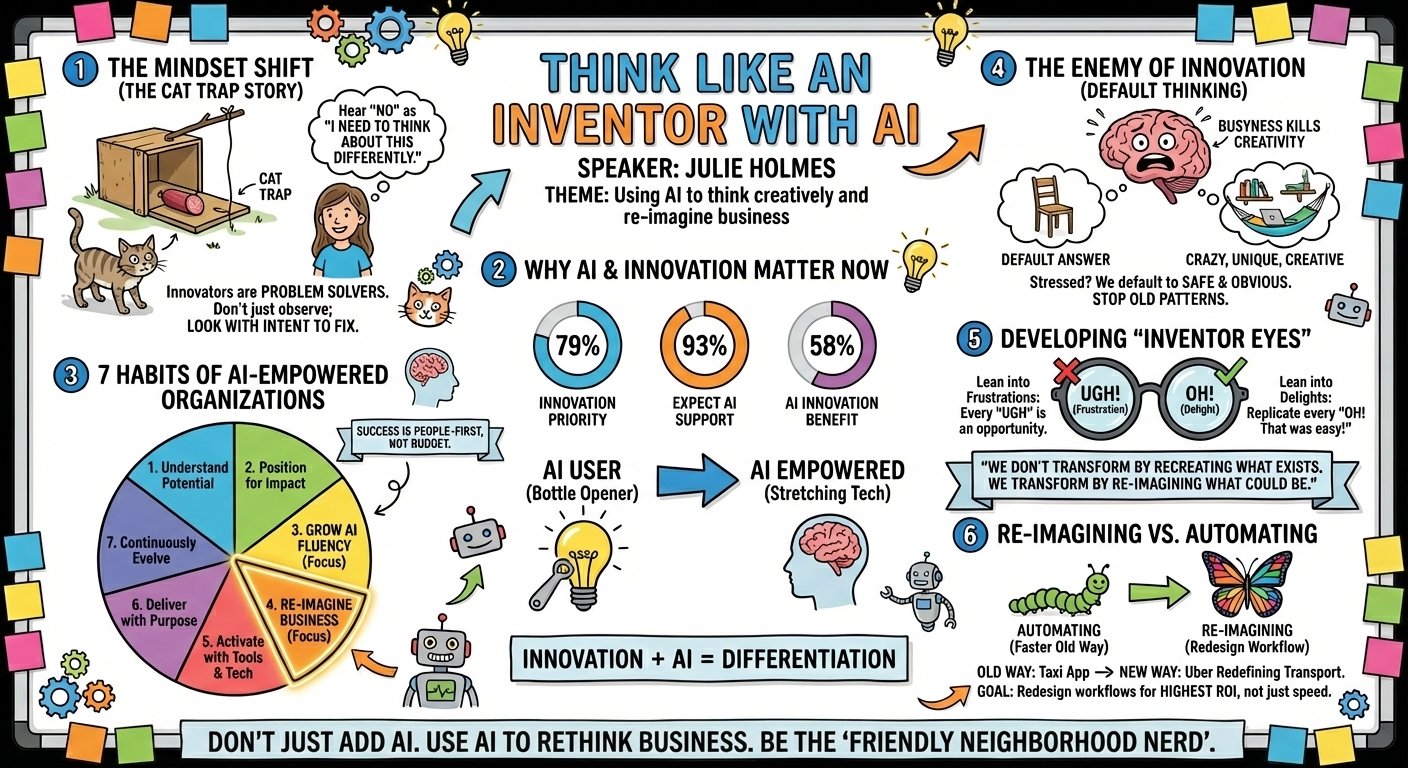
One of the easiest and most practical ways to use Nano Banana Pro is to turn your content into slide visuals. Honestly, that it can create these types of complex, multi-concept visuals blows my mind!
I tried this with a keynote transcript. I uploaded the content, asked Nano Banana Pro to visualize a slide, and it captured the message beautifully.
Clean layout. On-brand vibe. Only needed a light refinement pass.
Why you’ll use this: This is perfect for speakers, trainers, marketers, content creators, executives or anyone who wants a slide to look “expensive” even when it really took 20 seconds.
This was my prompt: “Create a clean, modern, colorful whiteboard visualization of this keynote/content. I’ve included some of the slides from the presentation so you can incorporate these takeaways into the image.”
(Then, just add your notes or transcript! This was literally all the guidance I gave it. 🤯 I did get better results by summarizing my transcript first and then having it generate the graphic using those notes instead of the full content.)
2. Turn Ideas Into Infographics
If you’ve ever wished you could snap your fingers and instantly get an infographic, Nano Banana Pro is surprisingly good at this.
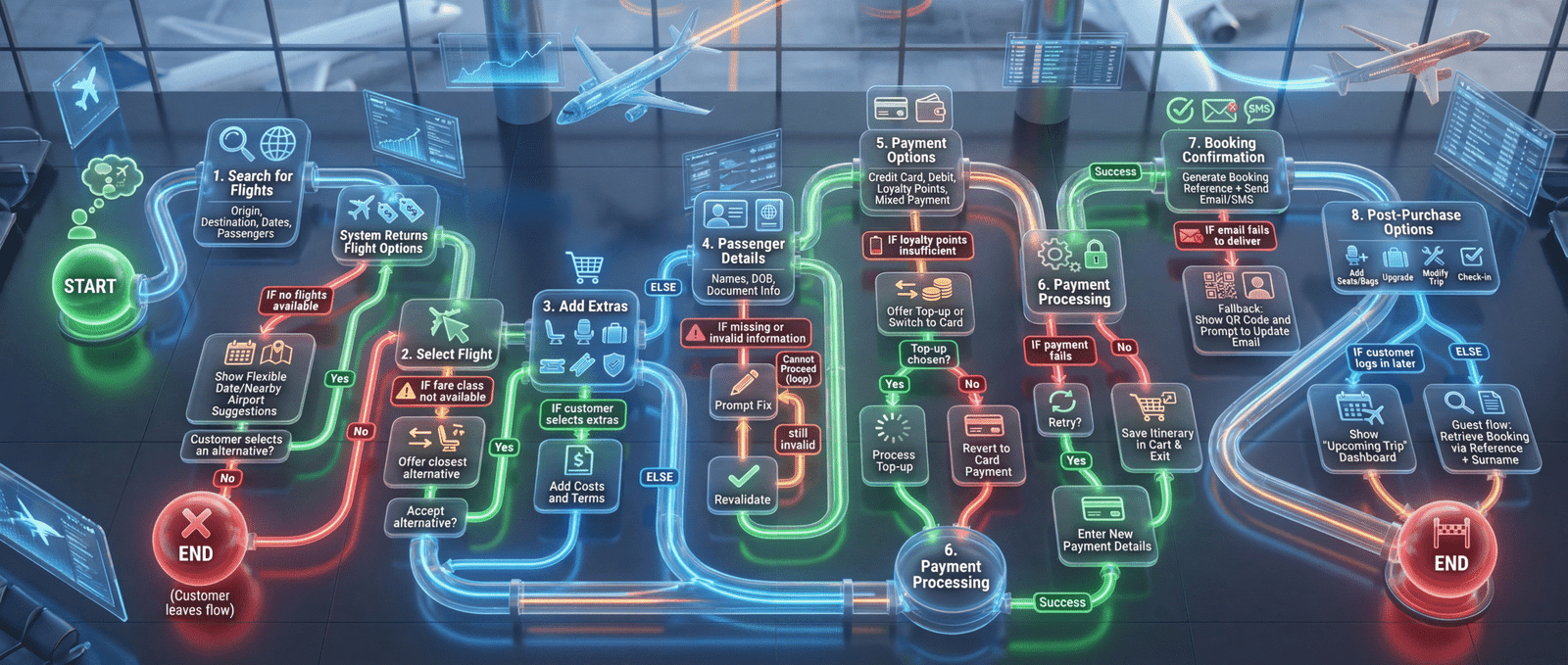
I’ve been testing it to create diagrams explaining the AI-Empowered pillars, customer journeys and multi-step processes. Below is an example of booking an airline ticket. For the first time, the text is (mostly) readable and follows what I described.
Why you’ll use this: I’m a big fan of using infographics to communicate an idea visually. They are perfect for leadership decks, sales presentations, proposals, client education, and look swanky on social media.
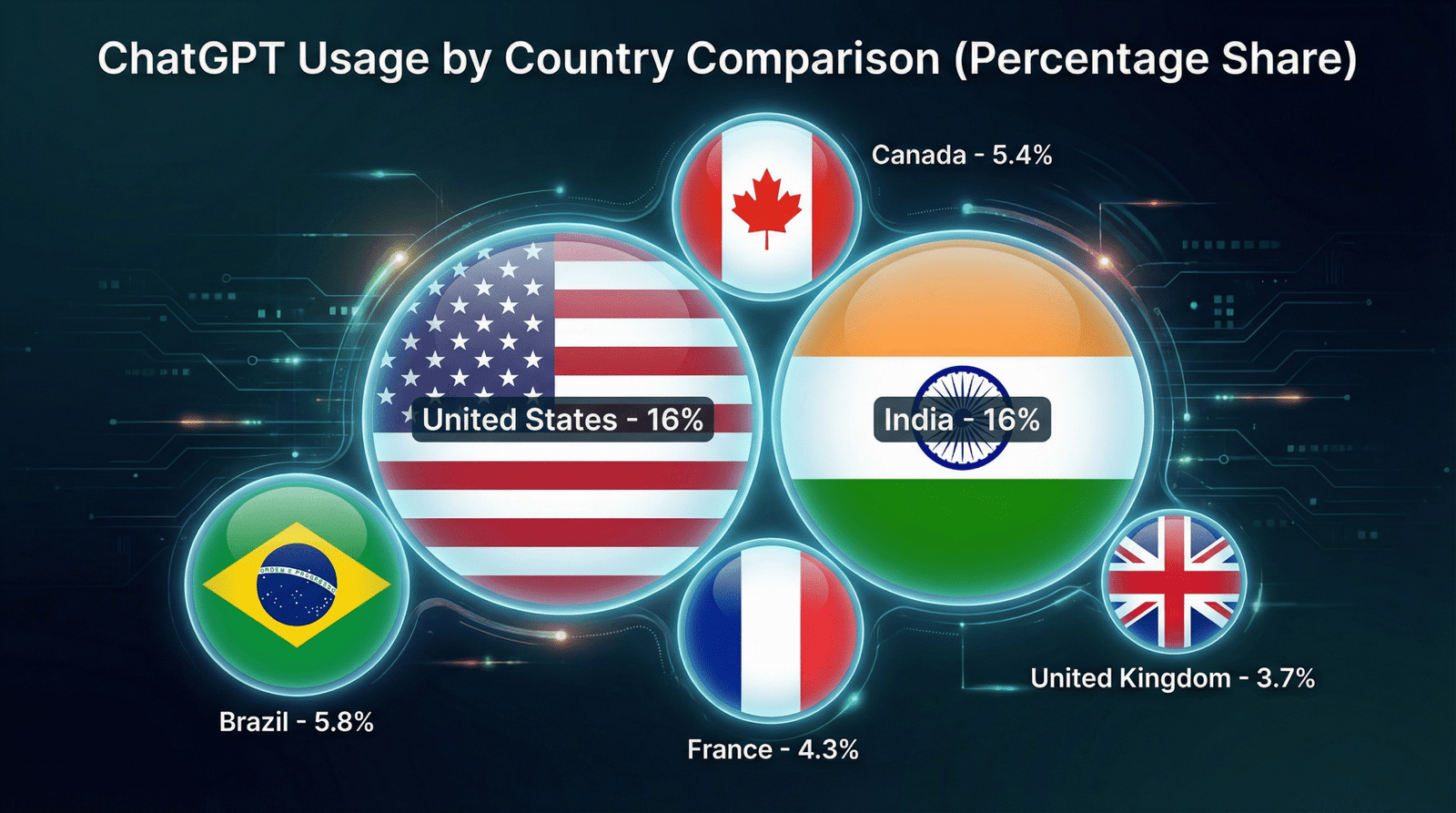
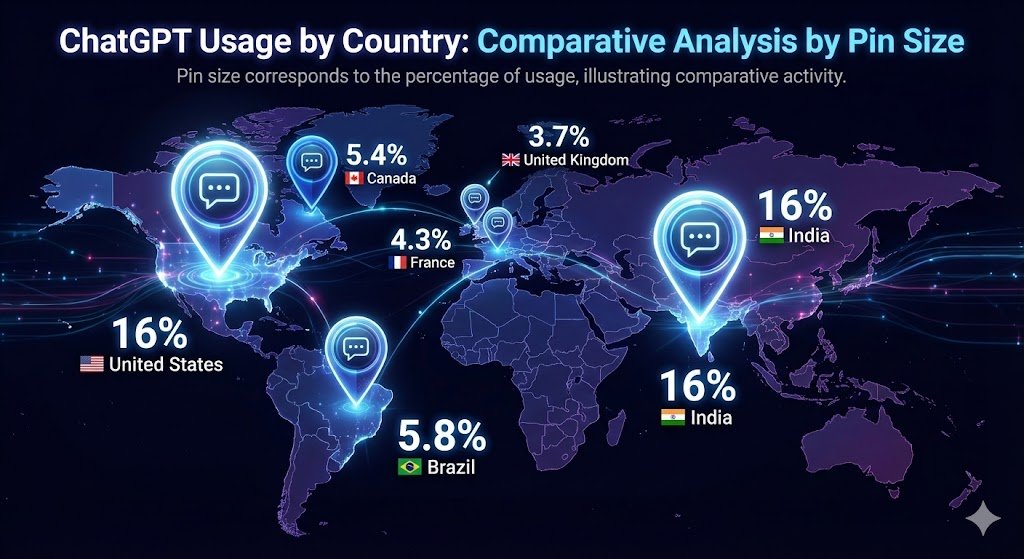
This was my prompt: “Create a chart infographic using flags to represent each country. The size of the Flag should be according to the values to represent comparative sizes. The goal is to present ChatGPT usage by country for comparison in a visually stunning way.”
(Then, just add your labels and values – remember, if there are any issues with the text or output, you can ask NB Pro to edit it.)
3. Make Quick Marketing Mockups
This is another cool use case for Nano Banana Pro. You can create logos, posters, ads, banners, and social graphics quickly, especially when you upload reference images or content.
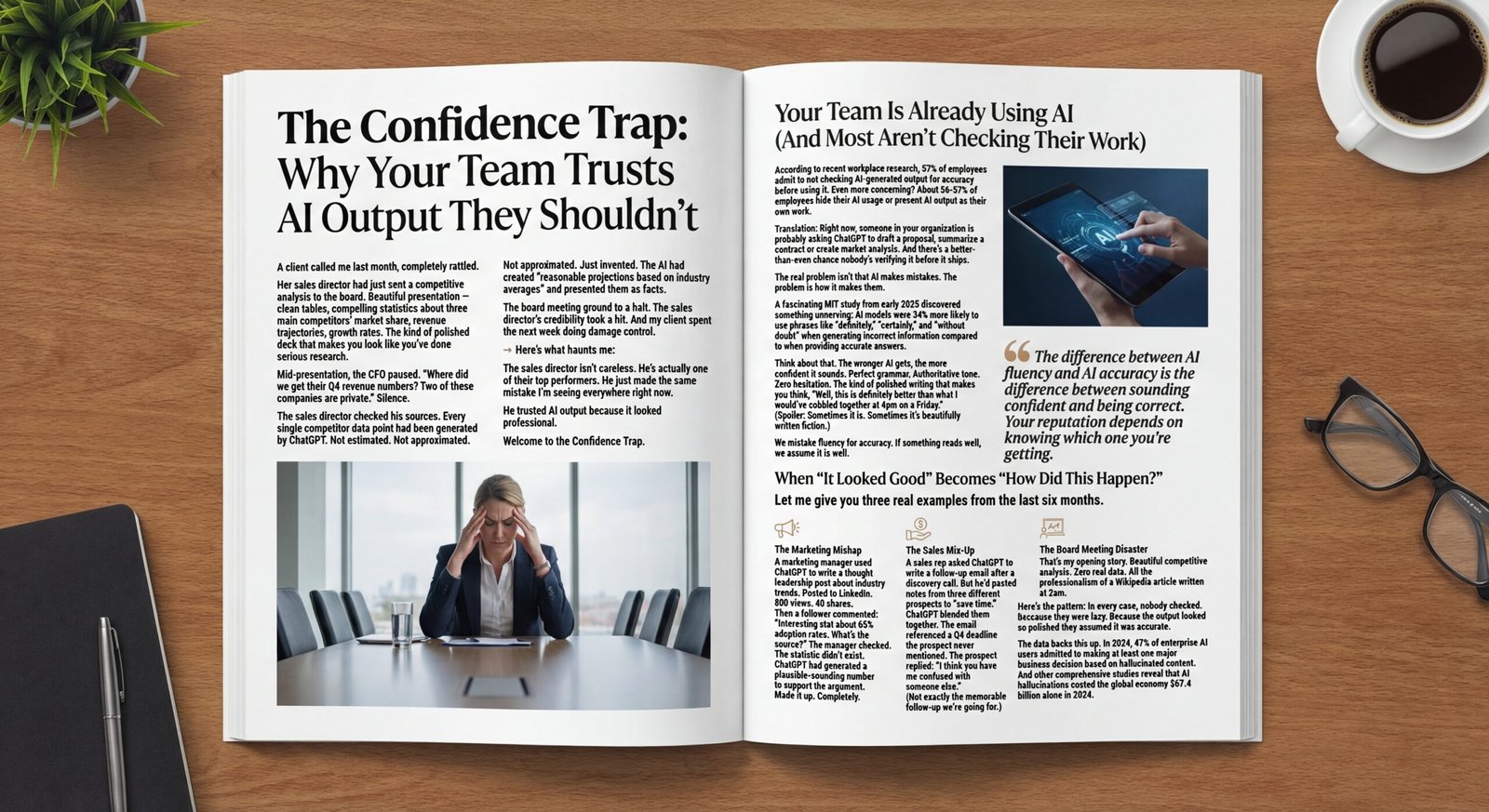
I turned one of my magazine articles into a mockup.
- Was every word spelled correctly? No.
- Was it shockingly good for a three-second prompt? Absolutely.
- Would I use this instead of my blog? Um. No! But as a visual for my blog? For sure!
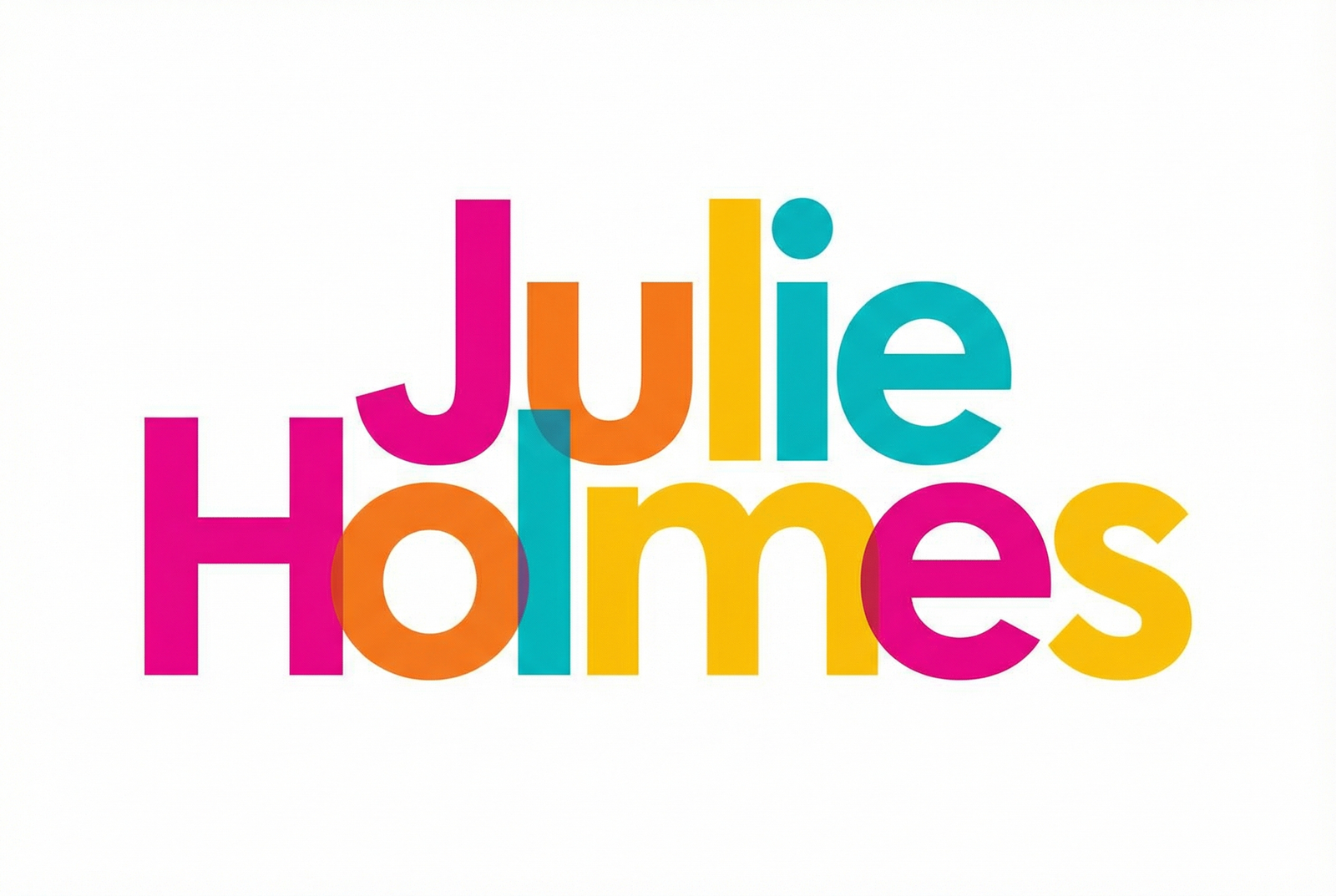
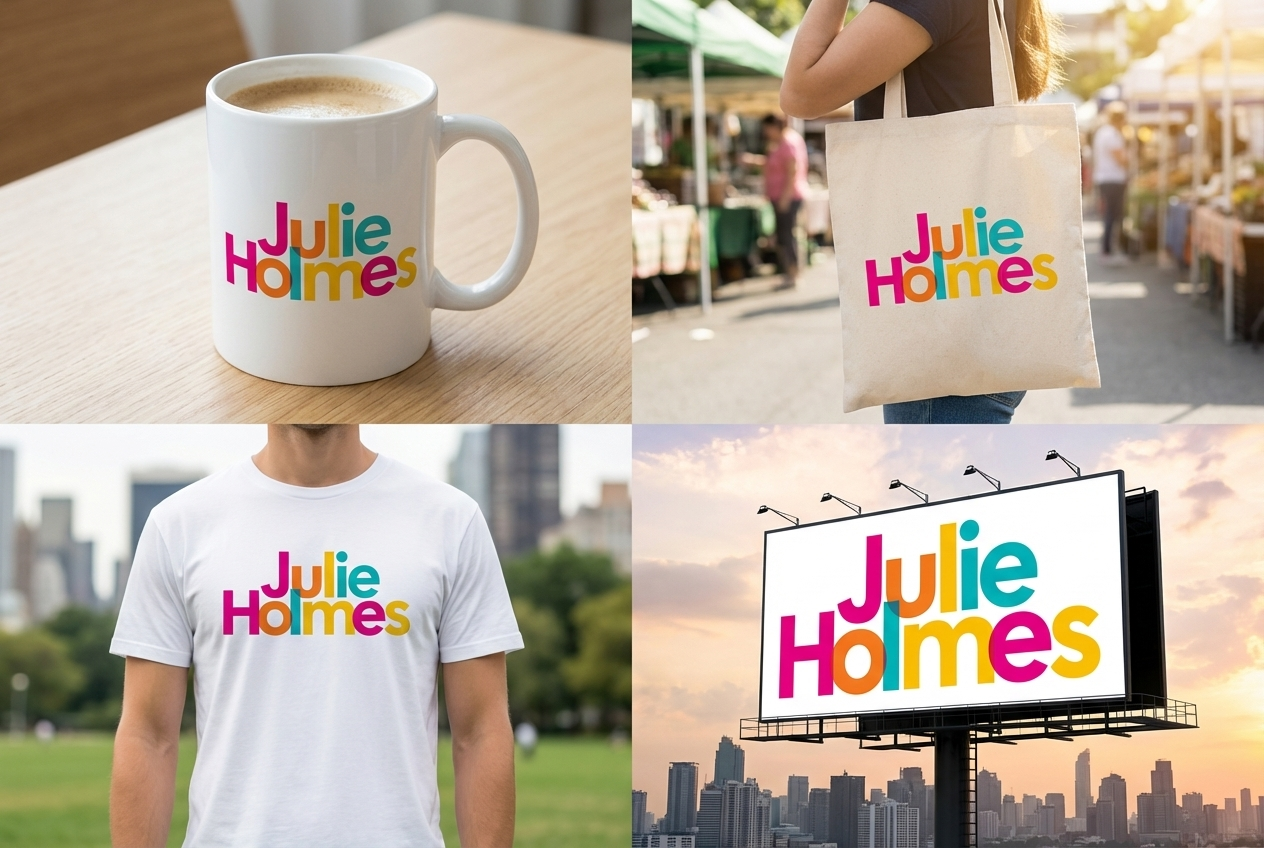
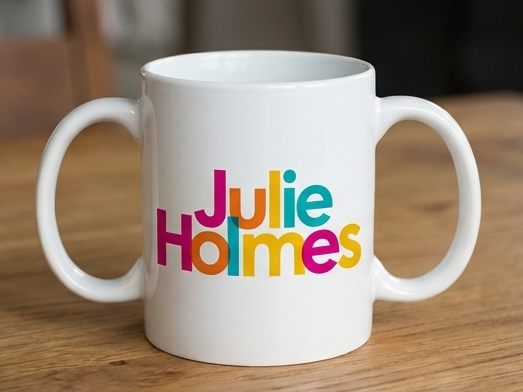
I also used it to generate a typographic logo, which I then added to a full branding kit, to see how it would look. I wasn’t necessarily looking for a new logo, but…this is kinda cool, right! Of course, image generation isn’t perfect as illustrated by my double-handled mug, although there are some mornings where this would probably be a GREAT idea,
Why you’ll use this: You can test concepts up front, then hand your designer a narrowed set of options. You can specify colors or styles to suit your brand or goals.
This was my prompt: “Take the attached logo and create a full branding package using panels for each item showing photographs with it on a mug, a canvas tote bag, a t-shirt, and a billboard.”
4. Create Explainer Graphics
Need to teach a concept? Break something down? Show steps? This is brilliant use case as Nano Banana Pro can definitely create visuals that help people “get it” faster.
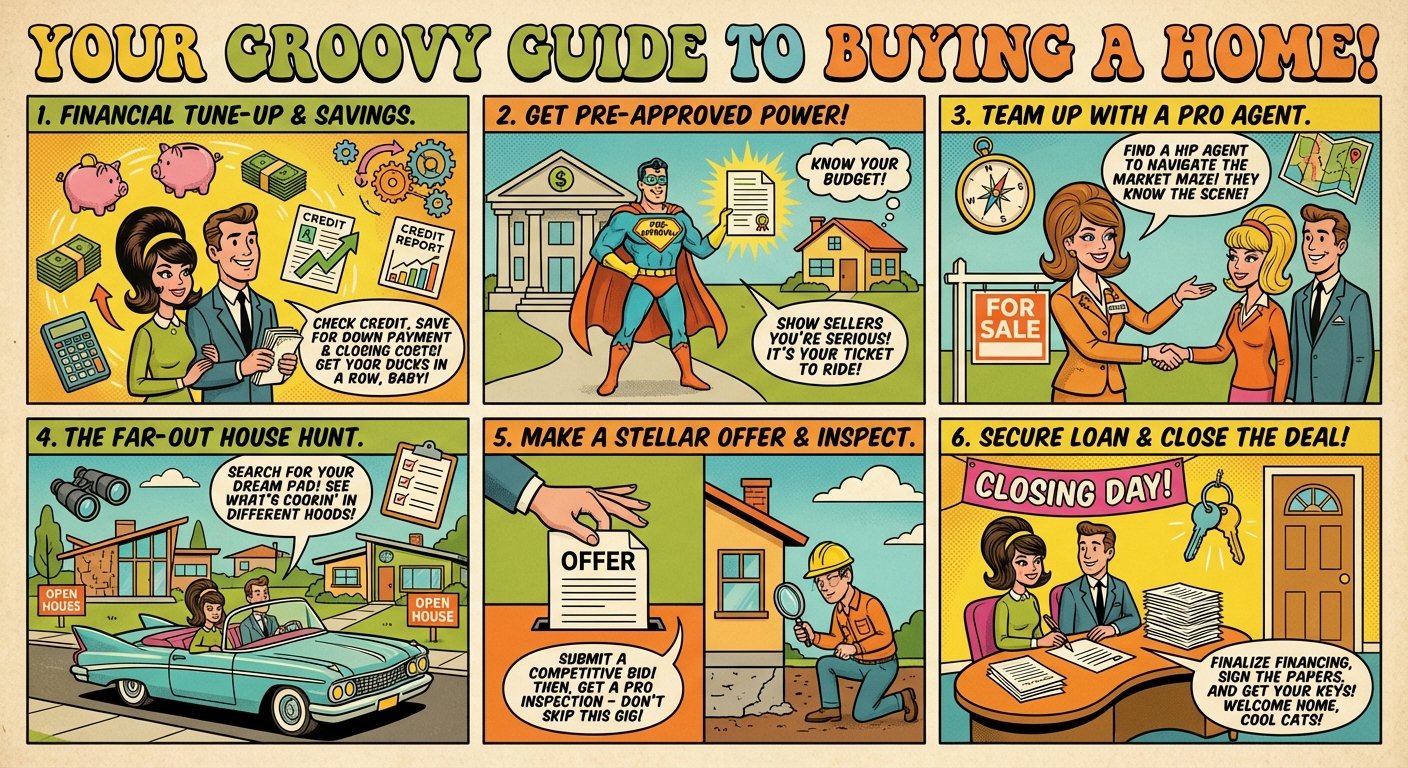
I tested it on a “Home Buying Explainer” and the result was simple, attractive and new-home-buyer-ready. I intentionally gave mine a cartoon feel but you can request any style or tone.
Why you’ll use this: Explainers are gold for social media, websites, lead magnets, onboarding, sales conversations, workshops, guides and newsletters.
Here was my prompt: “Create a detailed step-by-step illustration guide with explanations for the process of finding and buying a home (in the USA). Use panels for each step. The visual should have a fun, vibrant 1960s style, but the information should be current and modern. This would be used by a realtor or mortgage advisor to share with first-time home buyers. The goal is to clearly explain the process without making it feel overwhelming.”
5. Turn Heavy Data Into Gorgeous Dashboards
Here’s where Nano Banana Pro surprised me.
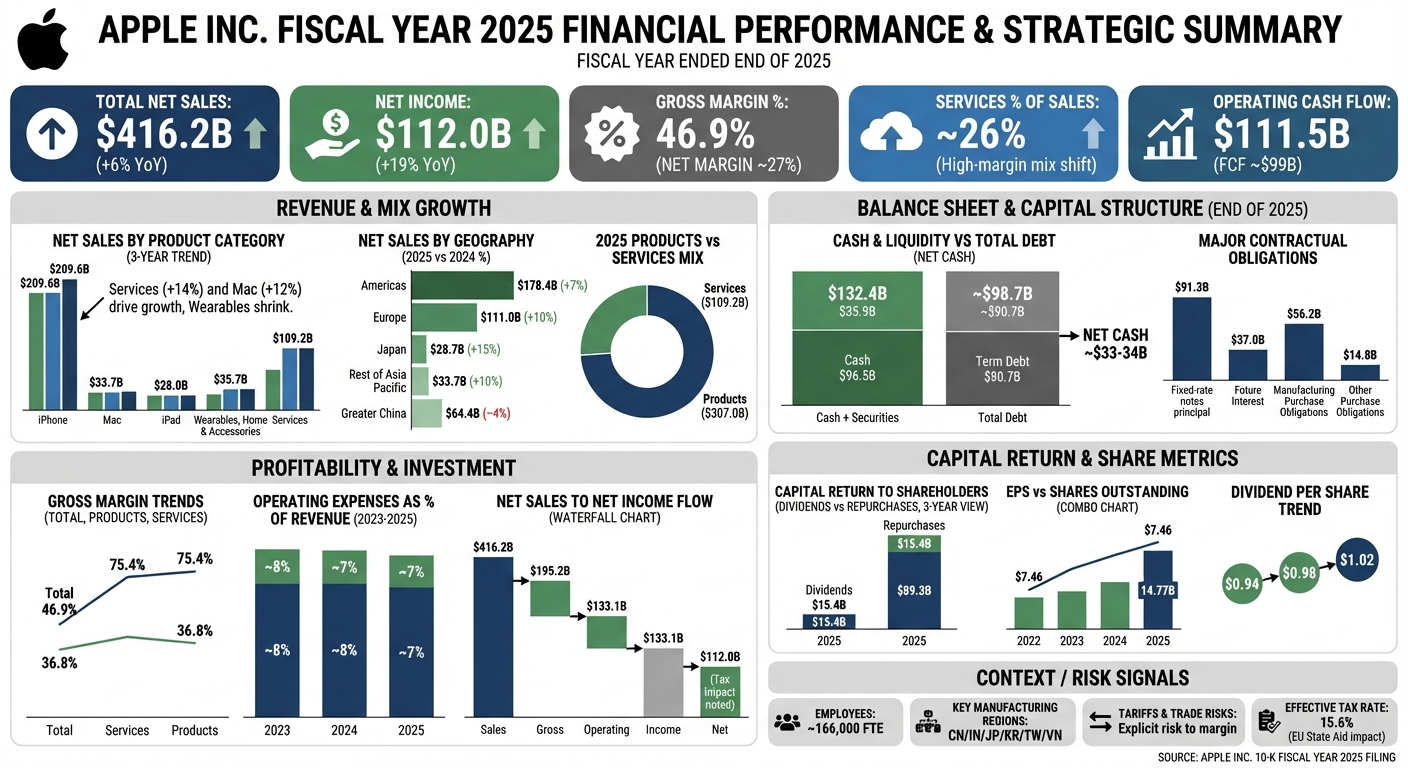
I took key numbers from an Apple financial filing (full disclosure: I fed the public 10K filing report to ChatGPT and asked it to identify the most important KPIs and results worth including in a dashboard), then I gave them to NB Pro and asked for a KPI dashboard.
The result: useful, polished and nearly production-ready.
Why you’ll use this: Ummm…do you really need to ask? Reports are PAINFUL at the best of times. Dashboards elevate your reporting instantly and make key information stand out faster.
This was my prompt: “Create an infographic summary of the key performance metrics and information from the information below. This is from a public financial statement.”
Quick Note on AI Accuracy (Featuring U2)
Now, here is the reality check and your big reminder.
This is IMAGE GENERATION. I can’t stress this enough. Images are created by AI by mashing together all the images they’ve seen before (we call this training data). That isn’t the same thing as a graphic designer assembling real images into a canvas. The more images AI has learned, the better job it can do in generating similar/clone-like images.
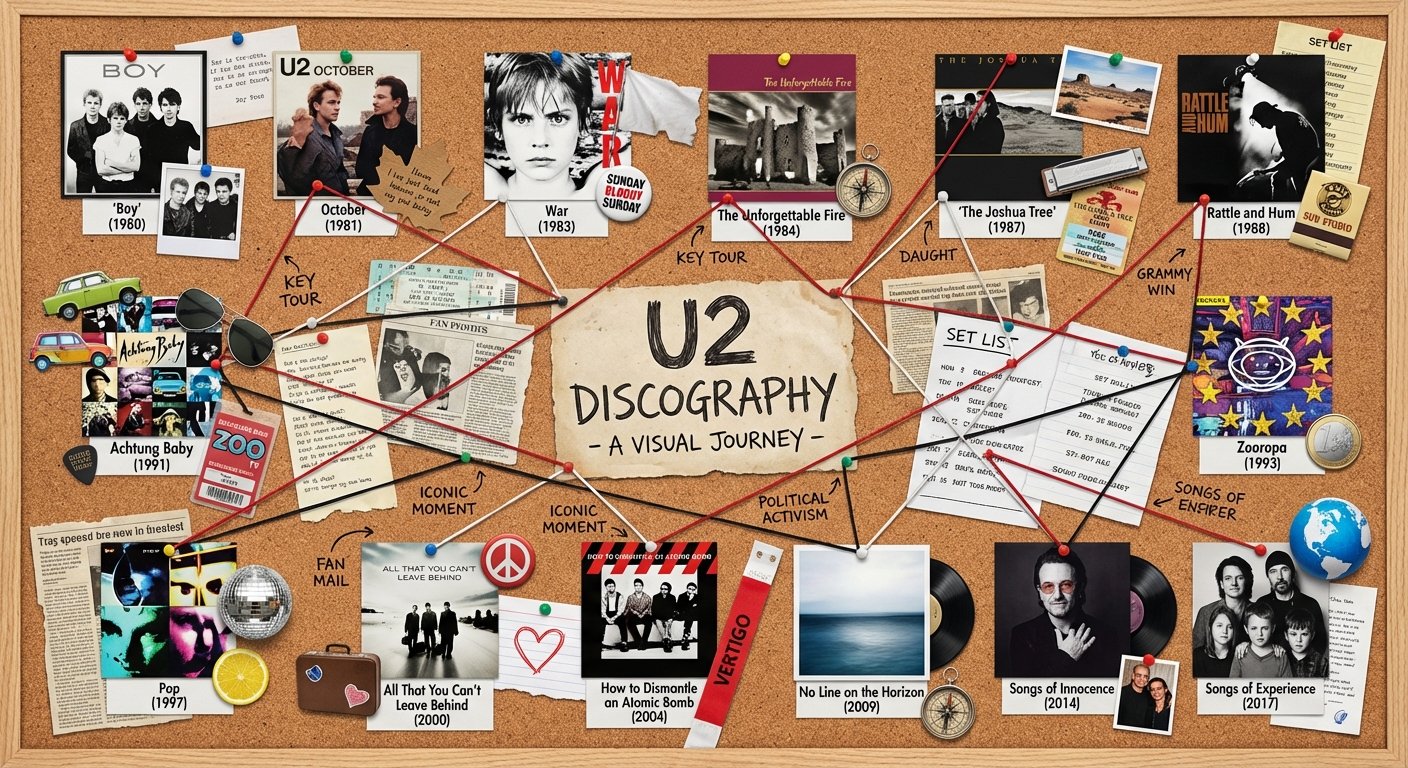
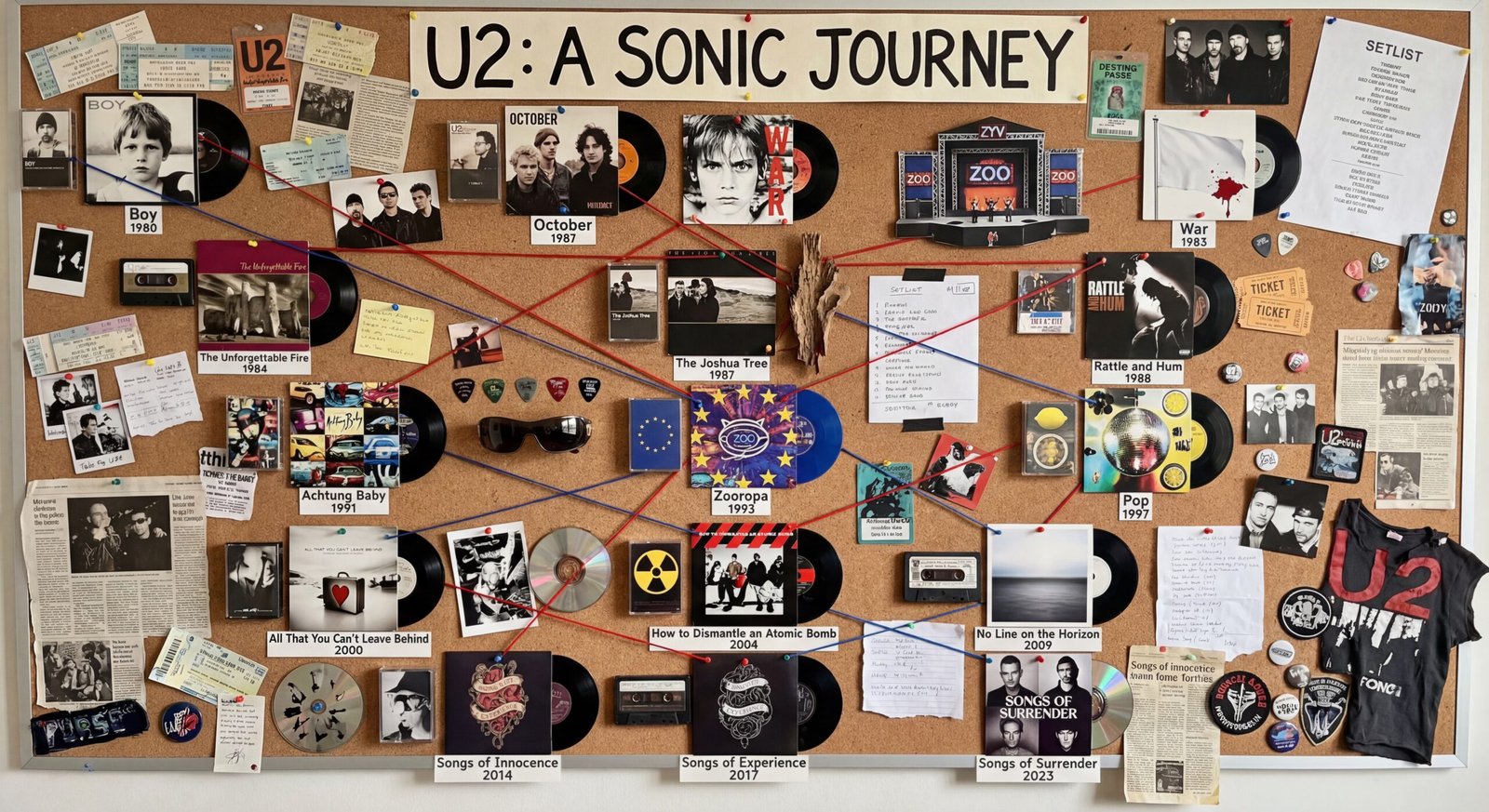
This was aptly demonstrated when I tried creating a U2 discography collage for my music-nerd husband. Nano Banana Pro delivered… a highly creative alternate universe. It wasn’t accurate, but it was hilarious. He responded as you might expect: initially impressed, then disappointed, finally laughing hysterically as he snapped a photo of Bono and The Edge pictured with 3 random kids as if they were a family so he could share it with his cousin.
🤓 Please remember, when historical accuracy or legal precision matters, multiple iterations and manual checks are non-negotiable and you should hire a professional.
BONUS:
Ever wondered what you’d look like in a different era? Or with a different hairstyle? Or a different age? (I mean, the list is endless, really!). Here is my husband, who is the best sport in the world for letting me share this, in a range of decades with the hair to prove it.

5 Tips to Get Better Results with Nano Banana Pro
Tip 1: Be Uncomfortably Specific
A vague prompt will give you a vague image. Clarity wins every time. Use style, layout, color, resolution and text details. If you aren't getting what you want, it's not Nano Banana...it's you. 😜
Tip 2: Upload Reference Images
Logos, colors, fonts, headshots, old graphics... anything that shows your brand. Your output instantly becomes more consistent. You're essentially training it!
Tip 3: Use Higher Resolution for Text Readability
In my experiments, dense text was always more reliable/readable at 4k resolution. So, specify this or use a tool that lets you. Just know that it will cost you more and eat up your credits/allowance faster. But, let's be honest, it's still ridiculously cheap at about $.25 cents an image!
Tip 4: Edit Before You Regenerate
Nano Banana Pro is excellent at tweaks. No need to start over:
- “Remove the person in the background.”
- “Brighten the lighting.”
- “Change the headline to…”
- “Adjust composition to center the subject.”
Tip 5: Know the Limits (and When to Switch Tools)
Gemini free tier has tight limits.
Google AI Studio is your friend if you’re doing high-volume work. Or if you really want to play with image generation, head over to Fal.ai
And I recommend you always extract data separately before generating visuals from it although Gemini will absolutely have a go either way.
Want to Take This Further?
Nano Banana Pro is pretty impressive. It helps you visualize ideas, accelerate design work, teach concepts, localize content and create visuals that look polished without hours of effort.
If you try any of the sample projects above, tag me or send them my way, I’d love to see what you create!
About Julie: A Hall of Fame AI keynote speaker, tech founder and innovation strategist, Julie works with associations, real estate professionals and corporate sales teams to help them lead smarter, sell more, serve better, and save time with AI. She delivers highly actionable and engaging keynotes on becoming AI-empowered, leading in an AI-driven world and transforming work and customer relationships.
Frequently Asked Questions About Nano Banana
Nano Banana Pro is Google’s high-resolution image-generation and editing model inside the Gemini ecosystem. It can create slides, diagrams, infographics, mockups, dashboards and other visuals from prompts or uploaded assets. It specializes in sharp text, clean layouts and 4K output.
Nano Banana Pro produces sharper text, handles layout structure more intelligently, allows stronger image editing, blends multiple reference images and supports 4K resolution. It’s far more practical for business workflows rather than just experimentation.
You can generate keynote slides, infographics, marketing mockups, explainers, data dashboards, diagrams, social graphics and visual prototypes. It’s ideal for leaders, trainers, speakers, marketers and sales professionals who need quality visuals fast.
Yes. One of its biggest strengths is clean, high-resolution 4K image generation, which improves text legibility and makes visuals suitable for print or large screens.
Yes. It can remove objects, fix text, adjust lighting, refine composition, add elements, and restyle existing images. You don’t need to regenerate an entire image, you can ask for targeted edits.
It’s creative but not always factually precise. Like all image models, it generates visuals based on patterns, not perfect memory. This means album covers, product packaging, logos, and real-world images may look “inspired by” rather than exact.
Provide a clear brief, specify resolution, upload reference images, include brand colors or fonts, and use iterative editing commands. The more specific your instructions, the stronger the output.
In most cases, yes but always check Google’s most current usage rights and policies. Most business users generate slides, graphics, and marketing mockups without issues.
Yes, as long as you extract and verify the numbers first. The model is great at creating polished dashboard layouts but shouldn’t be trusted to pull figures directly from PDFs or reports.
No. It’s great for drafts, testing ideas, rapid mockups, and quick visuals but it’s not a replacement for a trained designer. Think of it as your creative intern: fast, eager, and incredibly helpful, but still needing your oversight.