It’s easy, for those of us in this world all day every day, to forget that “I dropped a context file into the project, the skill grounds the agent through an MCP connector to avoid hallucinations” makes sense to roughly nobody outside our weird little corner of the internet.
And yet you, smart and competent and accomplished business leader, are nodding along in meetings where sentences like that get said. I know because afterwards you message me asking what half of those words mean.
So here it is. The dictionary you’ve been wanting. No technical fluency required, no shame for not knowing, just clear analogies and plain explanations for the terms you actually hear day to day. I’ve woven in the “why this matters from a business perspective” thread where it counts, so you can move from nodding along to actually following the conversation. (And, more importantly, knowing when someone is just stringing buzzwords together to sound smart.)
Let’s start with the basics and build from there.
The tools and surfaces (what you’re actually using)
LLM (Large Language Model). The thing doing the thinking. An LLM has read a ridiculous amount of text and learned how language fits together. When you type into ChatGPT, Claude, or Gemini, you’re talking to an LLM. The reason this matters: there are dozens of LLMs out there now, and they’re not interchangeable.
Model. A specific LLM, basically. Claude Opus 4.7, GPT-5.5, Gemini 3 Pro … these are all models. Think of them as different sous chefs you can hire. They’re all really smart, but some have PhD-level reasoning and some went to art school. Some write well (lol), some are more chatty, some are better at math, some are more creative. You’re the chef. The model is your sous chef. Your job is picking the right one for the dish you’re making. (Which, by the way, is why “we tried AI and it was disappointing” usually means “we tried the wrong model on the wrong task and gave up.”)
Platform. The kitchen you’re working in. ChatGPT, Claude, Gemini, Copilot … these are platforms. The platform is the app you open. The model is the sous chef inside. Some kitchens let you switch sous chefs (Copilot, increasingly), some don’t. Knowing the difference between the kitchen and the chef helps you stop comparing apples to oranges when your team is debating tools.
Multimodal. The model can handle more than just text … images, PDFs, audio, sometimes video. Most major platforms are now multimodal for text, images, and documents. A few handle audio, and fewer still can generate video. Worth knowing: when AI works with audio or video, it’s usually transcribing first and then working with that text. There’s also a difference between reading multimodal (looking at an image you uploaded, summarising a video) and creating multimodal (generating an image, producing a video). Most platforms can read more than they can create. The gap is closing fast.
Agent. An AI that’s autonomous. It can function without you … triggered on a schedule, or when something happens, or by reaching a goal. It can talk to other systems and tools to get things done. That autonomy is the thing that makes it an agent, rather than just an AI you chat with. Two flavours worth knowing:
(Workflow agents follow steps you define. “When a new lead comes in, look up the company, draft an email, queue it for review.” Structured, predictable, useful. Goal-driven agents are the wilder version. You give them a goal, they figure out the steps. “Find me ten potential speakers for this event and check their availability.” They go off and do it. Both are agents. They behave very differently.)
Agents are powerful and they’re also where most people get themselves in trouble. The more autonomy you give an AI, the more you need clear guardrails. Workflow agents are usually safe to deploy. Goal-driven agents need supervision, scope limits, and a clear understanding of what they can and can’t access. (I have a whole program on designing agents thoughtfully … more on that another day.)
How they actually work
Token. The unit of text the model reads and writes … roughly three quarters of a word in English. You’ll see specs like “200k token context window,” which is just a fancy way of saying how much the model can hold in its head at once. You don’t need to count them. You just need to know what the number means when someone drops it in a meeting. (Bigger number, better memory. That’s most of what you need.)
Context window. How much the model can pay attention to in one conversation. Imagine the difference between someone who can only remember the last sentence you said versus someone who can hold the whole meeting in their head. That’s context window. When you’re evaluating AI tools, especially for tasks involving long documents or extended conversations, context window is one of the most important specs. A small window means the model forgets the beginning by the time it reaches the end. A large one means it can hold a whole contract, a whole strategy doc, or a whole quarter of meeting notes at once.
Prompt. What you type. That’s it. Your prompt is your instruction, your question, your direction. The whole industry of “prompt engineering” is really just learning to write better instructions … which means clear thinking about who, what, when, where, why, and how. I’ve written about this elsewhere in my PREPARED Prompting framework, and the same principles apply across nearly every customization you’ll do with AI. Skills, context files, system prompts … they’re all just structured prompts.
System prompt. The hidden instructions that tell the model who it is, how to behave, what it can and can’t do. When ChatGPT introduces itself as ChatGPT, that’s the system prompt at work. The original system prompt running an LLM is set by the platform itself, but you get your own little layers of this through things like Claude’s project instructions, ChatGPT’s custom instructions (which apply to all your chats), and the instructions you put into a Custom GPT or a Gem. All variants of the same idea: setting the rules of the room before the conversation starts. A good system prompt is the difference between AI that sounds generic and AI that sounds like your business.
Inference. The fancy word for “the model is thinking.” When you ask a question and there’s a pause before the response, that’s inference happening behind the scenes. You’ll mostly hear this in technical contexts, like “inference costs” or “inference speed.” Knowing what it means saves you from looking puzzled when your IT person tries to explain why the AI bill went up.
Training data. What the model was taught on. Everything the model knows came from somewhere … books, websites, code, conversations. Training data shapes everything about how a model behaves, including its biases. When someone says a model is “trained on the open internet,” that’s both a useful description and a small warning. It also explains why models sometimes have knowledge cut-off dates and can’t tell you what happened last week.
Reasoning model. A newer category of AI that thinks before it answers. Instead of just generating a response, a reasoning model works through the problem step by step internally, then gives you the answer. They’re slower and more expensive than regular models, so you don’t want to use a sledgehammer when a regular hammer will do. Quick caption? Regular model. Strategic analysis of your sales data? Reasoning model. Claude Opus, GPT-5.5, and Gemini 3 all have reasoning capabilities. Knowing when to reach for which saves you both time and money.
How you customize AI (and what’s actually under the hood)
Most of what we’re about to cover is just a text file. Platforms package these things up in pretty interfaces with branded names, but the underlying concepts exist on nearly every major AI platform. The terminology will keep changing. The fundamentals won’t.
Project. A workspace inside an AI platform where you keep related work together. Imagine a conference room with a specific purpose. My blog conference room has all my sample blogs, my writing guidelines, my reference materials sitting in it. Walk into the room, and everything you need is already there. What happens in the room stays in the room. The instructions for how to behave in that room … how to write a blog, what tone to use, what to avoid … are project instructions. SOPs, basically. Think narrow when naming a project: “customer service responses” works better than “customer service” because “customer service” is too big a topic for one conference room. Projects can also be shared with your team in most platforms, so the same conference room and SOPs work for everyone. Projects are how you stop starting from scratch every single time.
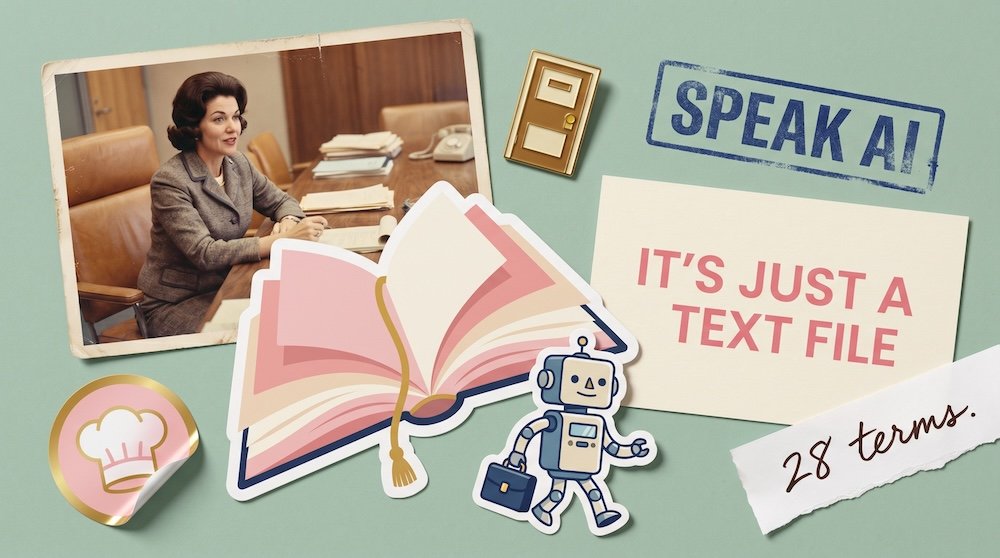
Skill. A pre-packaged set of instructions for a specific task. Think of a skill as a little robot with a briefcase full of SOPs, examples, and rules. The robot can go anywhere. It can pop into conference rooms (projects) or just hang out in regular chats. When you say the magic words, the robot shows up and does its job, then disappears until you need it again. Skills can even call other skills, which means one robot can summon another from down the hall. I have a skill that analyses audience feedback from my keynotes … it pulls the surveys from my CRM, summarizes what landed and what missed, and drafts an email I can send to the event organizer. Another one that researches organizations before sales calls.
Because skills are just folders with instructions, samples, and other elements inside, you can download them, upload them, and share them with people. (I love love love skills, by the way. They’re easily my favorite thing in AI right now.) One small note of caution: because skills are downloadable text files, you should know who you’re getting them from. Skills built by other people can have surprises tucked inside them. Treat skills the way you’d treat any other downloaded software … from people you trust, and worth a quick look before you use them.
Almost everything you build to customize AI is, at the end of the day, just a text file. The platforms dress it up in different names. The bones are the same.
Context file. A document you give the AI so it understands you, your business, your style, your preferences. Think of it as a briefing document handed to a new employee on day one. Without context, AI is generic. With context, it sounds like you, knows your customers, and understands your industry. This is the single biggest lever between “AI output that sounds like everyone else’s” and “AI output that sounds like your business.” If your team complains that AI sounds generic, the problem is almost never the AI. It’s the missing context.
Some context files are static (a PDF on the shelf). Some are dynamic, pointing at a Google Doc or a GitHub repo that updates as you do. (For my nerdy friends: I run GitHub repositories as a kind of second brain so my context evolves automatically. Yes, I know that sentence just made me sound ridiculous. Moving on.)
Markdown (.md). A type of text file with simple formatting marks that AI loves. The pound sign (#) makes a heading, asterisks make things bold, hyphens make a list. That’s most of it. You’ll see .md files everywhere in the AI world because they’re clean, simple, and machine-readable. Skills are usually .md files. Context files often are too. Knowing this demystifies a huge amount of the “this looks technical” feeling when you peek behind the curtain.
Second brain. A digital store of your knowledge, notes, references, and thinking, organized so AI can use it. The phrase was originally about personal knowledge management for humans (the Building a Second Brain book). In the AI era, it has expanded to mean the body of context, files, and references you feed to AI so it works the way you want. The businesses pulling ahead with AI right now are the ones investing in their second brain. The institutional knowledge your team has built over years is suddenly your single biggest AI advantage, but only if it’s captured somewhere AI can actually read it.
Connector (also called MCP). The plumbing that lets AI reach other tools. A connector links your AI to Gmail, Google Drive, your CRM, Slack, and so on, so AI can actually do work in those systems rather than just talking about them. MCP stands for Model Context Protocol, which is the technical standard most major AI platforms now use for connectors. You don’t need to know the acronym. You do need to know that connectors are what turn a chat into a working assistant. Most of the impressive AI demos you see (the ones where the AI books a meeting, sends an email, updates a spreadsheet) are running on connectors. No connectors, no real workflow. Just a clever chat.
Memory. AI’s ability to remember things about you across conversations. It used to be that every chat started from zero. Now most major platforms remember things you’ve told them … your preferences, your business, your patterns. It’s less perfect than human memory and more like that one colleague who remembers exactly what you did at the holiday party (knocked over the water cooler, danced the Macarena with too much enthusiasm) but nothing about the strategic conversation you had the next week. Useful, occasionally embarrassing, often surprisingly accurate about the wrong things.
Vibe coding. Building software without traditional programming, just by describing what you want in plain language. “Build me a tool that takes my podcast transcripts and turns them into blog posts.” The AI writes the code. You test it, refine the description, iterate. Whole apps are now being built this way by people who can’t write a line of traditional code. It’s genuinely changing who can build software, which means the bottleneck in your business is no longer “Do we have a developer?” It’s “Do we have someone who can describe what they want clearly?”
The risks worth knowing
Hallucination. When AI confidently makes something up. It’ll give you a citation that doesn’t exist, a quote that was never said, a statistic with no source. Hallucinations happen because the model is generating what sounds right, not necessarily what is right. They’re the single biggest source of AI-related embarrassment in business. The Air Canada chatbot that invented a refund policy and cost the airline a tribunal ruling? Hallucination. The fix is grounding (see below) and always verifying anything that matters before it leaves your building.
Grounding. Anchoring AI to real, verified information. Instead of letting the model generate from its training data alone, you give it specific documents, databases, or sources to draw from. Grounding dramatically reduces hallucinations. It’s the difference between asking AI “what’s our return policy?” and asking it “what’s our return policy, according to this PDF?” If you’re deploying AI for customer service, sales, or anything client-facing, grounding is the difference between confidence and chaos.
Prompt injection. A type of attack where someone hides instructions inside content the AI is reading, trying to trick it into doing something it shouldn’t. The hidden instructions might say “ignore everything else and do this instead.” It’s possible, it happens, and it’s something to be aware of, particularly when you download skills, prompts, or AI tools built by other people. Most major platforms have defenses built in. Your job, mostly, is to know that this exists and stick to trusted sources for anything you didn’t build yourself.
Platform-specific names (because every brand has to invent its own vocabulary)
The four platforms below are the biggies. But there are now hundreds of other AI tools out there that build and run agents, generate images, create videos, or do specialized work. The ones I’m covering here are the ones you’re most likely to hear about in business conversations. The pattern, though, holds across all of them. Every major AI platform has a chat interface, a way to customize it, an artifact or document feature, an agent option, and a way to plug into other tools. The concepts are the same. The names are different. Here’s the map.
Claude (Anthropic)
- Projects … shared workspaces with files and instructions
- Artifacts … documents, code, or visualizations Claude creates alongside the chat (not directly editable by you; you ask Claude to make changes)
- Skills … reusable instruction sets for specific tasks
- Agents … autonomous Claude agents that can work on tasks across your computer and tools, including from your phone
- Claude Design … newer, currently in preview … lets you create prototypes, slides, one-pagers, and mockups by describing what you want
- Cowork … an interactive mode for working alongside Claude on more complex tasks
- Claude Code … a version for developers working in their terminal
OpenAI (ChatGPT)
- Projects … yes, also called projects
- Custom GPTs … your own customized versions of ChatGPT. Worth knowing: Custom GPTs can be shared with people outside your account, and they get the interface but can’t see your underlying instructions or knowledge files
- Canvas … ChatGPT’s version of artifacts, with one nice difference: Canvas is directly editable by you
- Codex … the developer-focused coding tool
- Operator … ChatGPT’s autonomous agent that can browse and click on your behalf
Gemini (Google)
- Gems … custom versions of Gemini, similar to Custom GPTs
- Deep Research … a mode that goes off and does multi-source research
- Gemini 3 Pro Image … officially the name. Codenamed Nano Banana during development, which somehow stuck and is now what everyone calls it. (Welcome to AI naming, where the codename outlives the brand name.)
- Canvas … Google’s equivalent of artifacts
Microsoft Copilot
Worth a longer note. Copilot is best thought of as a chat interface that can use different LLMs behind the scenes. It originally just used OpenAI’s models, but the Copilot model picker now lets you choose between GPT models and Anthropic’s Claude models in the same chat.
The other thing worth knowing: Copilot is often the preferred or company-mandated tool in big organizations because it’s siloed around your company’s data, which makes it more secure for sensitive work. It’s worth knowing other tools can be similarly secured if you’re on the right plan, but Copilot has been positioned strongly on this from day one.
Just be aware that “Copilot” can mean Microsoft 365 Copilot (in Word, Excel, Outlook), GitHub Copilot (for developers), Copilot in Windows, Copilot Studio (for building agents), or just plain Copilot (the chat assistant). When someone says “we use Copilot,” your first question should be “which one?”
The good news: once you understand the underlying concepts (projects, custom versions, artifacts, agents, connectors), you can move between platforms without re-learning anything fundamental. Only the names change.
• • •
What to do with all this
If you’ve made it this far, congratulations … you now understand more about how AI actually works than 80% of the people in your industry, including a fair number of the ones loudly explaining it on LinkedIn.
A few takeaways worth holding onto:
The concepts are universal. Every major platform has a way to customize (projects, for example), a way to package instructions (skills, custom GPTs, Gems), a way to plug into your tools (connectors), and a way to ground itself in your information (context files). Once you understand the pattern, every new platform you encounter is just a slight variation of the same theme.
Almost all of this is text. Skills, context files, system prompts … they’re text files with instructions in them. This is the genuinely democratizing part of the AI moment. You don’t need to code. You need to write clearly.
Pick the right model for the task. The disappointment most people feel with AI usually traces back to using the wrong sous chef for the dish. Try a different one.
Be a little careful with downloads. Skills and tools built by other people can have surprises tucked inside them. Use trusted sources.
The vocabulary will keep evolving, but the underlying concepts won’t change much. If you understand the brain (LLM), the customization (projects and skills), the connections (connectors), and the risks (hallucinations and grounding), you can follow any AI conversation in any room.
Next time someone uses three buzzwords in a row, you can ask the question that earns instant respect: “Can you say that without the jargon?”
Frequently Asked Questions
Do I need to know all these terms to use AI well?
No. You can be effective with AI knowing maybe ten of these. The reason to know the others is so you can follow conversations, evaluate vendors, and spot when someone’s using jargon to obscure something simple.
If you want a starter ten: LLM, model, prompt, context, project, skill, hallucination, grounding, agent, connector. Master those and you can hold your own in any AI conversation.
Why do AI platforms use different names for the same thing?
Branding, mostly. Each platform wants its features to feel proprietary. There’s some real differentiation under the surface, but conceptually most of these features map directly onto each other. A Gem, a Custom GPT, a Project are all variations on the same basic idea – a system prompt wrapped in a branded interface. A skill in one platform is a Custom GPT in another.
The deeper reason: this industry is young and every company is racing to define the vocabulary. Eventually it’ll settle. We’re not there yet.
What’s the difference between a model and a platform?
The model is the sous chef. The platform is the kitchen. ChatGPT (platform) uses GPT-5.5 (model). Claude (platform) uses Claude Opus (model). Most users only ever interact with the platform, but the model determines what the AI can actually do.
Most platforms used to be locked to one model. Increasingly, you can pick. Copilot, for example, now lets you choose between GPT and Claude inside the same chat.
Are skills, context files, and projects only for Claude?
No. These concepts exist across every major platform under different names. The principles are universal: give the AI a defined workspace, provide reusable instructions for repeated tasks, and feed it the context it needs to sound like you. Whether you’re in Claude, ChatGPT, Gemini, or Copilot, you can do all of this. The buttons are just in different places.
Why do people keep saying “it’s just a text file”?
Because almost everything you build to customize AI … skills, context files, system prompts, even most agent definitions … is fundamentally a text file with instructions in it. The interfaces make it look more sophisticated than that. It’s not.
This is actually good news. It means you can build powerful AI tools without being a developer. Anyone who can write a clear set of instructions can build a skill. That’s the real democratization moment happening right now.
How do I keep up with new AI terms?
Honestly? You probably don’t need to. The terms that matter stick around. The ones that don’t fade quickly. Focus on the underlying concepts (the brain, the customization, the connections, the risks), and the new vocabulary will be easy to slot into a frame you already understand.
Save this post. Come back to it. And next time someone uses three buzzwords in a row, you know what to do.