Your One-Page AI Work Playbook: How to Start 2026 Strong
A few months ago, I was running a workshop for professional service leaders. These were sharp people, senior leaders, the kind of folks who don’t have time for nonsense. People I adore!
During a break, one of the attendees pulled me aside. “I have to be honest,” she said. “I’ve been using AI for almost a year now. Some days it’s incredible. Other days I waste an hour going in circles and end up doing everything manually anyway.”
(Side note: There is almost always a person, or 10, in my audiences who proudly proclaim that they are rocking it with AI. They use it all the time! They are polite to me, but I can always see the wheels turning as they wonder if I’ll have anything useful for them. And pretty much to a person, they always come back up to me after I talk and say, “Oh! Wow! I’ve been using AI but not USING AI.”)
So, I asked her what her process was.
She looked at me like I’d asked what her process was for breathing. “I just …open it and start typing?”
This is someone who wouldn’t dream of walking into a client meeting without an agenda. Who has systems for everything from email management to quarterly planning. But AI? She was winging it. Every. Single. Time.
And she’s not alone. As I kick off 2026, I’m reflecting on what separates the people who are genuinely getting value from AI from those still stuck in the “sometimes it’s magic, sometimes it’s crap” camp.
The difference isn’t talent. It’s not even time spent practicing.
It’s having a system.
That’s why my first recommendation for starting this year strong is deceptively simple: create your One-Page AI Work Playbook.
Not a corporate policy document (although you DO need one of these!). Not a 47-page strategy deck that lives in a SharePoint folder nobody visits. (You know the one. It’s right next to the 2019 brand guidelines and that “urgent” document someone uploaded three years ago.)
This is just a simple, personal set of rules for how you and your AI intern work together.
Using AI better isn’t just about talent or training … sometimes it’s just about having a system.
Why You Need a Playbook (Even If Your Company Already Has One)
Company AI policies tell you what’s allowed but your playbook tells you HOW you work.
Your company probably has a travel policy, but you still have your own system for packing, booking flights, and managing expenses. This is really the same idea.
A playbook answers the questions that trip people up every day: Which tools do I actually use? What’s safe to delegate? How do I check if AI got it right?
Having a playbook is the difference between hoping AI helps you and KNOWING it will.
• • •
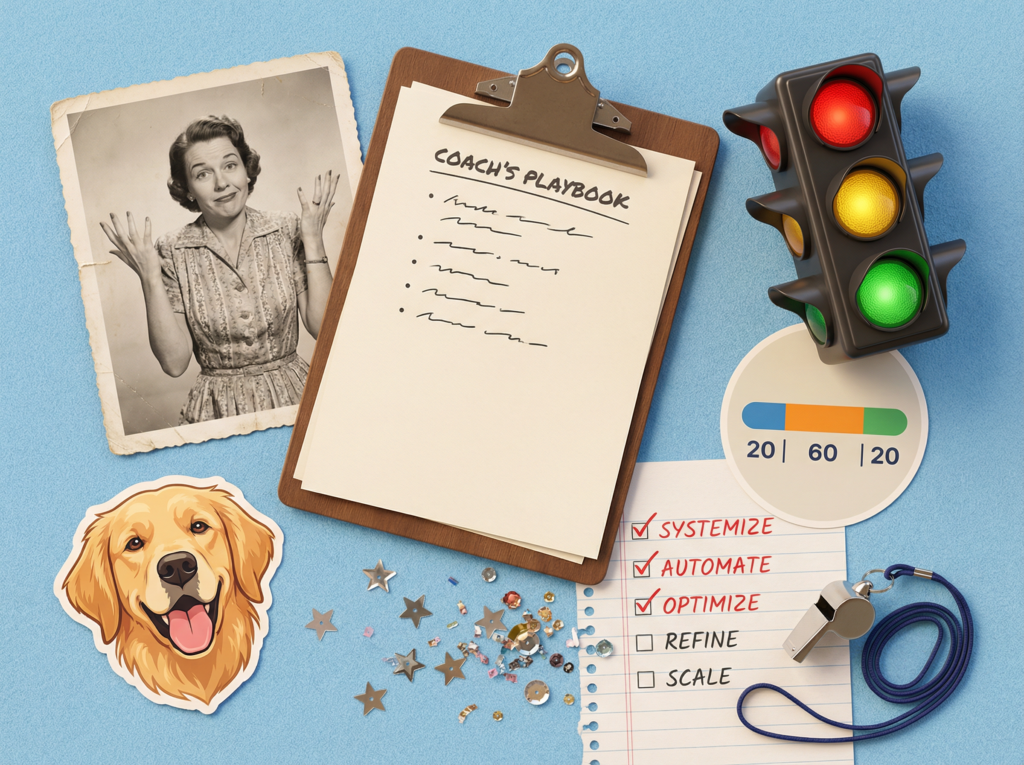
The Heart of Your Playbook: 20-60-20
If you’ve heard me speak, you know I’m a little obsessed with my 20-60-20 framework. (Okay, more than a little. My team has heard me say “Have you done your 20?” approximately eleven thousand times.)
It’s the foundation of everything in your playbook.
Your First 20%
You set the direction. What problem are we solving? Who’s the audience? What does “good” look like? This is where your judgment, expertise, and context matter most. Skip this step, and you’ll get generic garbage back.
AI’s 60%
The heavy lifting. Drafts, outlines, summaries, options, variations. AI gives you speed and structure. But here’s the critical part … this is raw material, not a finished product. It’s the clay that you still need to sculpt.
Your Final 20%
You refine. You edit, validate, personalize, and apply judgment. You check facts. You make sure it sounds like you, not a robot who swallowed a business dictionary.
The playbook keeps this ratio honest. Because when something feels off about AI output? Nine times out of ten, you skipped (or shortchanged) your first 20 or your last 20.
• • •
The Traffic Light System: Green, Yellow, Red
Every task in your work life falls into one of three categories. (I’m sure you’re skim reading this but I promise it will really help you if you write yours down.)
✅ Green (Go for it)
✅ Brainstorming and idea generation
✅ Drafting outlines and templates
✅ Summarizing meetings and long documents
✅ Rewriting for clarity or tone
These are low-risk, high-reward. AI can’t hurt you here, and it saves you real time.
⚠️ Yellow (Use with care)
⚠️ Client emails and proposals
⚠️ Public content and marketing
⚠️ Strategic recommendations
⚠️ Anything involving numbers or compliance
Yellow means you MUST do your final 20%. Check facts. Validate numbers. Make sure the tone matches your relationship with the recipient. This is where people get burned and where “I was just trying to save time” becomes a very awkward conversation with your boss.
⛔️ Red (Hard no or get approval)
⛔️ Confidential data in public tools
⛔️ Fake testimonials or case studies
⛔️ Final sign-off on legal, financial, or safety decisions
⛔️ Impersonating someone without consent
⛔️ Taking AI recommendations at face value
Your Red list protects your reputation, your company, and your integrity. Even when you’re in a rush. In fact, especially when you’re in a rush.
• • •
The Accuracy Check (The Part Most People Skip … Sigh)
Here’s where I see smart professionals make rookie mistakes. They accept AI output because it sounds confident. Please go back and read my article about the CONFIDENCE TRAP!
But sounding confident and being accurate are two very different things. (AI has the confidence of a golden retriever and sometimes the accuracy of one too. Enthusiastic? Absolutely. Adorable? Goes without saying. Correct? Let’s double-check.)
My recommendation is to build this quick checklist into your playbook:
- Source check: Ask AI, “What sources did you rely on?” If it can’t show credible sources, don’t trust the specifics.
- Gut check: Does this match what you already know? Your instincts are data points. Trust them.
- Number check: Recalculate anything involving money, risk, or safety. AI is shockingly bad at math in context. I once watched it confidently tell someone that a 15% discount on $200 was $45. Reader, it is not.
- Context check: Is this right for THIS client, THIS project, THIS culture? Good advice in the wrong context is still bad advice.
• • •
Your Tools (The “Do As I Say, Not As I Do” Section)
I need to be honest with you: I use way more AI tools than most people. Waaayyyy more.
But this IS my job. I literally get paid to try new AI, stretch what’s possible, and figure out what actually works. I run three different businesses and have what my husband/accountant calls “a very expensive habit.”
My current stable? ChatGPT for thinking and outlining. Claude steps in when I need to write prettier. We recently went deeper into Gemini because we’re a Google shop, and the context from my Drive and emails is gold. Fathom attends every single one of my meetings. We have automations running through Make.com to connect dots behind the scenes. And I’m developing with AI, so there’s a whole other toolkit for that.
I could go on. (My husband/accountant wishes I wouldn’t.)
But here’s what I tell everyone else: most people can get by with 3-5 tools. And you SHOULD because you’ll actually use them, and you’ll use them better.
So, write down your 3-5 defaults. Then add one line to help you stay in line: “I only add new tools if they’re safe, necessary, and replace something slower.”
That sentence will save you from the shiny object syndrome that often tanks productivity (and my bank balance … sorry, honey!).
• • •
Make It Stick
Ready for your homework? I know, I know BUT, I promise it will make a difference!
Open a blank document. Add these sections:
- Why I Use AI (one sentence)
- My Tools (3-5, not 37)
- My Traffic Light (Green/Yellow/Red)
- My Accuracy Checklist
- Privacy Non-Negotiables
- My 20-60-20 Commitment
Fill it out. Print it. Stick it somewhere you’ll actually see it.
Then ask yourself one question before every AI task: “Have I done my 20?”
That’s the habit that separates people who USE AI from people who are EMPOWERED by it.
Don’t outsource your brain. Unburden it!
Want Some Help? Try the Julie-Bot Playbook Builder!
I couldn’t resist being a bit “extra” (I could be using this word wrong and my kids aren’t around for me to verify so don’t laugh at me).
So … here is a customGPT with my personality (brace yourself!) that will interview you and help you build your own personal AI playbook.
Ready? Set? Go go go!
Access the Julie-Bot Playbook Builder
Ready to Go Deeper?
Ready to go deeper? If you want to bring this framework to your team, complete with hands-on practice and custom playbooks, then let’s talk. Because the companies winning with AI aren’t the ones with the biggest budgets. They’re the ones with the best technique.
Frequently Asked Questions
What is an AI work playbook?
An AI work playbook is a simple, one-page personal guide that outlines how you use AI in your day-to-day work. It includes your preferred tools, which tasks are safe to delegate, your accuracy checklist, and your commitment to the 20-60-20 framework. Think of it as your personal operating manual for working with AI, separate from any company-wide AI policy.
What is the 20-60-20 rule for AI?
The 20-60-20 rule is a framework for collaborating with AI effectively. Your first 20% is setting direction: defining the problem, the audience, and what “good” looks like. AI’s 60% is the heavy lifting: drafting, outlining, summarizing, and generating options. Your final 20% is refining: editing, validating, personalizing, and applying your judgment. When AI output feels off, it’s almost always because you skipped the first or last 20%.
How do I know which tasks are safe to use AI for at work?
Use the Traffic Light System. Green tasks (brainstorming, drafting outlines, summarizing documents) are low-risk and high-reward. Yellow tasks (client emails, public content, anything with numbers) require careful review and your full final 20%. Red tasks (confidential data in public tools, fabricating testimonials, final legal or financial sign-offs) are either a hard no or require explicit approval.
How do I check if AI output is accurate?
Run through four quick checks: a source check (ask AI what sources it used), a gut check (does this match what you already know?), a number check (recalculate anything involving money, risk, or safety), and a context check (is this right for this specific client, project, or culture?). AI sounds confident regardless of accuracy, so verification is non-negotiable.
How many AI tools should I use?
Most professionals can get excellent results with 3-5 tools. The key is choosing tools you’ll actually use consistently and learning them well, rather than chasing every new release. A good rule of thumb: only add a new tool if it’s safe, necessary, and replaces something slower.
What’s the biggest mistake people make when using AI at work?
Skipping the process. Most people open an AI tool and start typing without setting clear direction first. They skip their first 20% (defining the problem and what “good” looks like) and their final 20% (reviewing, editing, and validating). The result is generic, sometimes inaccurate output that wastes more time than it saves.
What should be included in a personal AI policy?
Your personal AI playbook should cover six things: why you use AI (your one-sentence purpose), your tools (3-5 defaults), your traffic light system (green, yellow, and red tasks), your accuracy checklist, your privacy non-negotiables, and your 20-60-20 commitment. Keep it to one page so you’ll actually reference it.
How do I improve my AI prompts?
Invest in your first 20%. That means giving AI clear context about the problem you’re solving, who the audience is, what format you want, and what “good” looks like. The more specific your direction, the better the output. Treat it like briefing a capable contractor who doesn’t know your business yet.
Can I use AI for client communications?
Yes, but it’s a yellow-light task. AI can draft client emails and proposals, but you must apply your final 20%: check the tone, verify any facts or numbers, and make sure it reflects your relationship with that specific client. Never send AI-generated client communications without a thorough personal review.
How often should I update my AI work playbook?
Review your playbook quarterly at minimum, or whenever you adopt a new tool, change roles, or notice your AI output quality slipping. AI capabilities evolve quickly, and your playbook should evolve with them. The goal is a living document that stays relevant to how you actually work.